albummaker.
macOSWindows

The best AI album design software

Design the most beautiful albums.

Download Free
Under 15MB

Photographer reviewing a wedding album on desk
Photographer quickly flipping through album
For Professionals
Deliver stunning results faster.

Why AlbumMaker?

14-Day Free Pro Trial
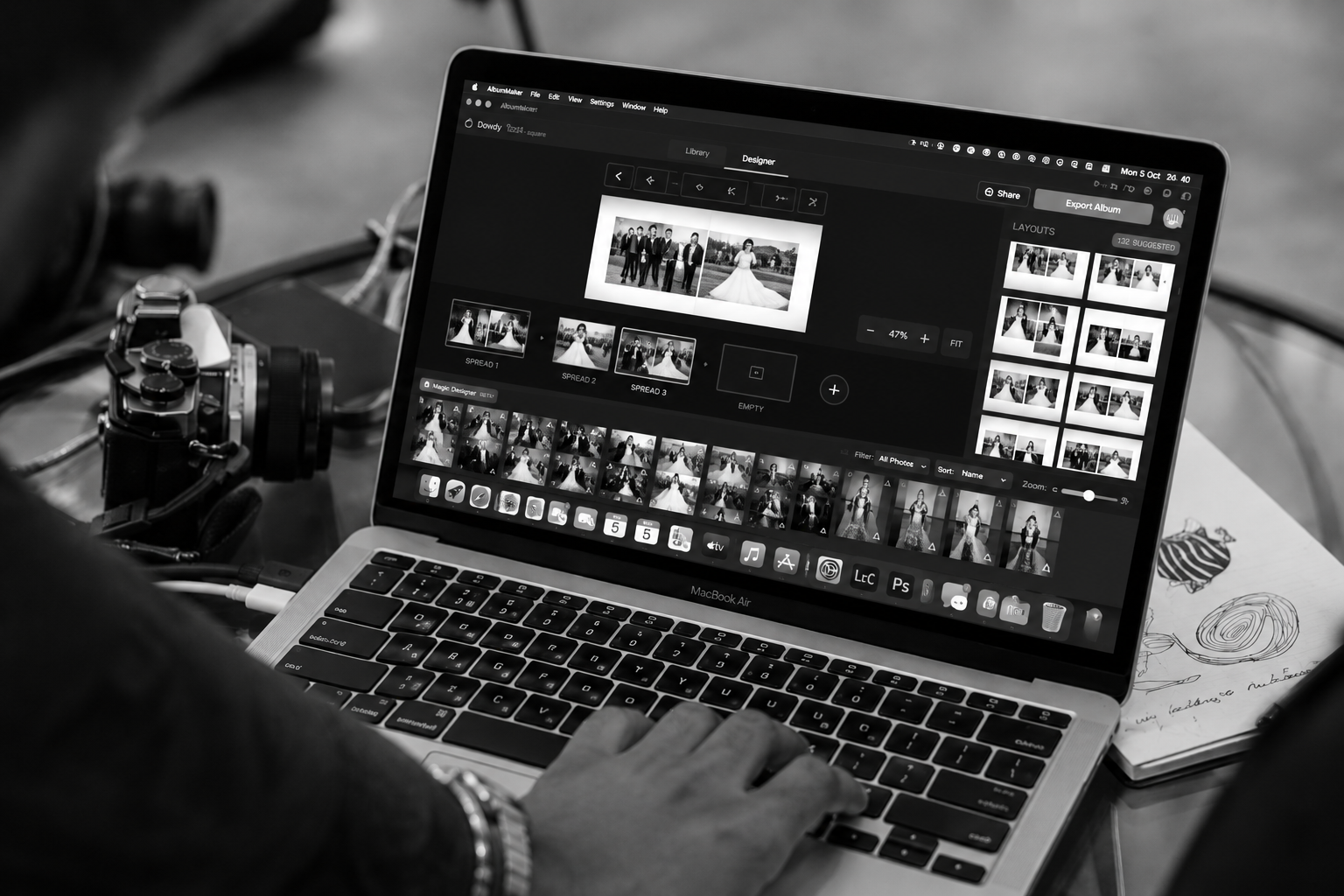
AI Magic Designer
Mac & Windows native
Smart auto-layouts
Print-ready PDF & PSD export

Create your best album

AlbumMaker features an AI Magic Designer, smart auto-layouts, drag-and-drop workflow, and custom spread sizes. It's the best AI album design software available — a true SmartAlbums alternative that doesn't cost $240/year.

Explore All Features →
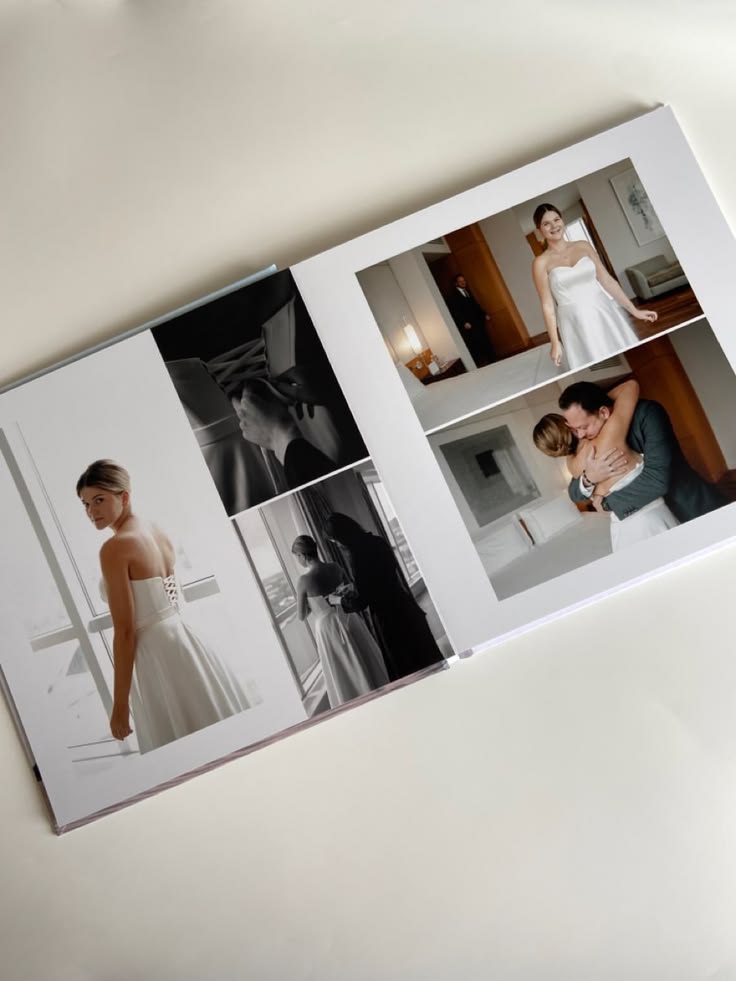
Premium custom photo book and stylish wedding album design
Wedding photography flatlay with roses, rings and printed photos
Open photo album on wooden desk with camera and plant

See AlbumMaker AI in action

AI-Powered Smart Layouts

Just select your photos and drag them into the spread. Our AI Magic Designer instantly arranges them perfectly, taking into account aspect ratios and orientation to save you hours of manual work.

Smart Image Swapping

Swap images effortlessly while preserving the layout. The design automatically adapts to the new image's aspect ratio without breaking the composition. Perfect for quick revisions.

Instantly Switch Layouts

Don't like the current design? Press the arrow keys to instantly cycle through dozens of professionally designed, algorithmically generated layouts for your selected images.

Cloud Proofing Included

Share beautiful album designs online. Clients can review, comment, and approve their album from any browser. You receive instant notifications right in your dashboard.

High-Res PDF & PSD Export

Export your approved designs directly to print-ready 300 DPI CMYK PDFs with perfect bleed and crop marks. Or, export fully layered PSD files for advanced Photoshop retouching.

AI-Powered Smart Layouts

Just select your photos and drag them into the spread. Our AI Magic Designer instantly arranges them perfectly, taking into account aspect ratios and orientation to save you hours of manual work.

Smart Image Swapping

Swap images effortlessly while preserving the layout. The design automatically adapts to the new image's aspect ratio without breaking the composition. Perfect for quick revisions.

Instantly Switch Layouts

Don't like the current design? Press the arrow keys to instantly cycle through dozens of professionally designed, algorithmically generated layouts for your selected images.

Cloud Proofing Included

Share beautiful album designs online. Clients can review, comment, and approve their album from any browser. You receive instant notifications right in your dashboard.

High-Res PDF & PSD Export

Export your approved designs directly to print-ready 300 DPI CMYK PDFs with perfect bleed and crop marks. Or, export fully layered PSD files for advanced Photoshop retouching.

Swipe left to see more features ←
✨ New Feature in AlbumMaker

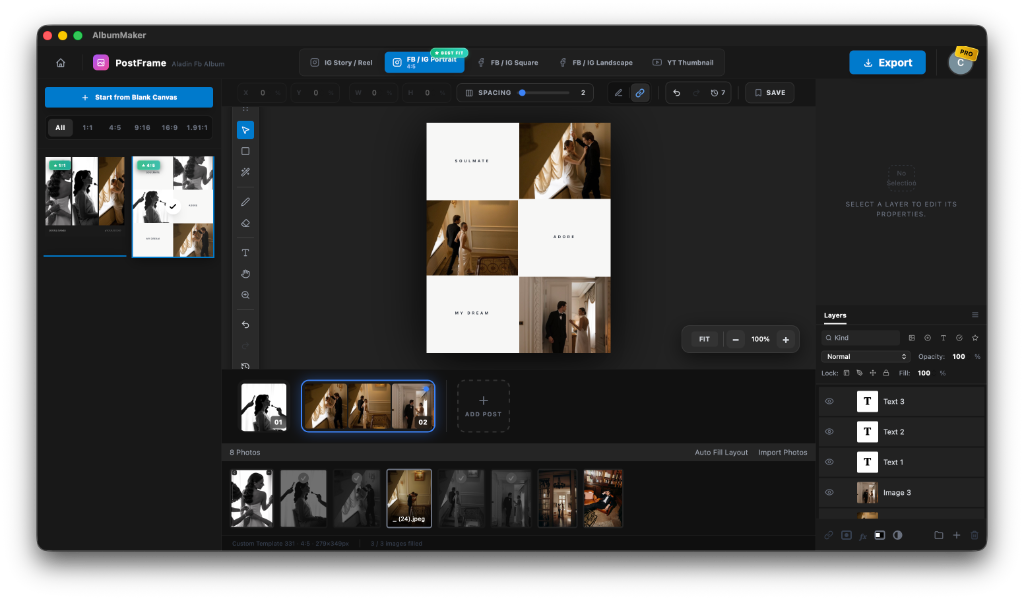
PostFrame — Social Collages & Teasers

Turn your wedding and portrait sessions into magazine-quality Facebook teasers and Instagram carousels in seconds. Built into AlbumMaker for Mac & Windows with native social presets, smart auto-layout, and Photoshop-grade layers.

Explore PostFrame →
PostFrame Social Media Collage Maker in AlbumMaker

The smarter SmartAlbums alternative

vs SmartAlbums

SmartAlbums charges $240/year. AlbumMaker offers a 14-Day Free Pro Trial, uses minimal RAM, and runs lightning fast on both Mac and Windows.

vs Fundy

Fundy charges $250/year. AlbumMaker offers a free trial and focuses purely on fast album design.

vs Canva

Canva is a browser-based tool with no real print specs support. AlbumMaker is a native app with full bleed, crop marks, and CMYK PDF export.

Frequently Asked Questions

Everything you need to know about AlbumMaker.

While Adobe InDesign offers total creative control and SmartAlbums offers automated speed, AlbumMaker is considered the best overall album design software today. It combines the AI-powered automatic layouts of SmartAlbums with the complete creative canvas freedom of Adobe InDesign, making it the most efficient and flexible tool for professional photographers.
SmartAlbums costs $240/year but lacks the ultimate design freedom of a blank canvas. Adobe InDesign has ultimate freedom but requires hours of manual cropping and aligning. AlbumMaker offers the best of both worlds: you get AI-driven auto-layouts to build the album in seconds, but you still retain full layer-based control (like InDesign) to customize typography, shapes, and layouts. Plus, AlbumMaker installs in under 15MB.
AlbumMaker is built as a high-performance native desktop app for macOS and Windows to eliminate upload times and browser lag. However, your clients can review and approve their albums directly in their web browser using our cloud approval feature.
Yes! While built for professionals, our AI Magic Designer makes it incredibly easy for anyone to design a beautiful wedding album or photo book in minutes without any prior design experience.